


- AV System
Works - United Co., Ltd. Renovation of the Audio/AV Systems in the HALL and LOUNGE
United Co., Ltd. Renovation of the Audio/AV Systems in the HALL and LOUNGE
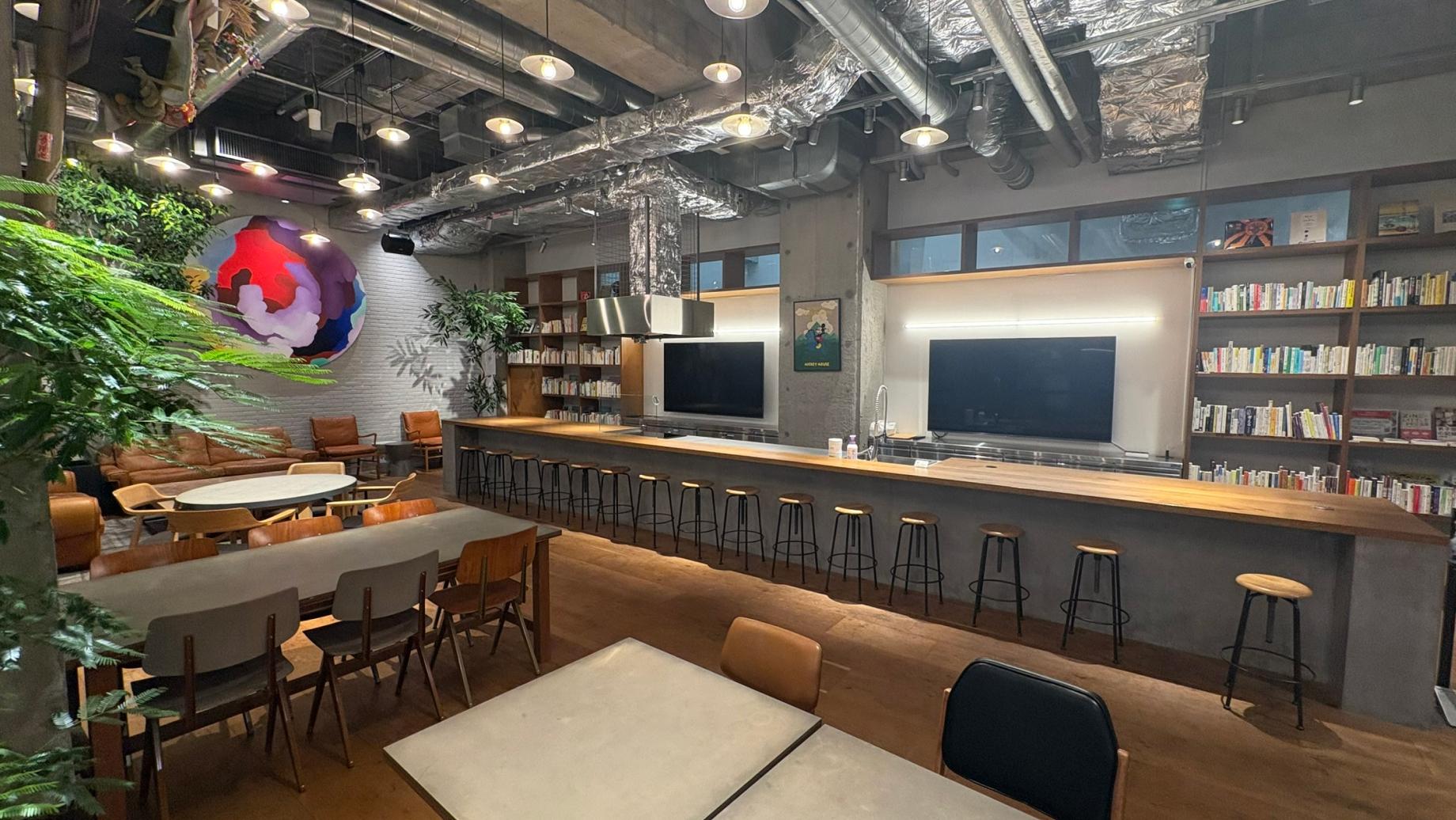
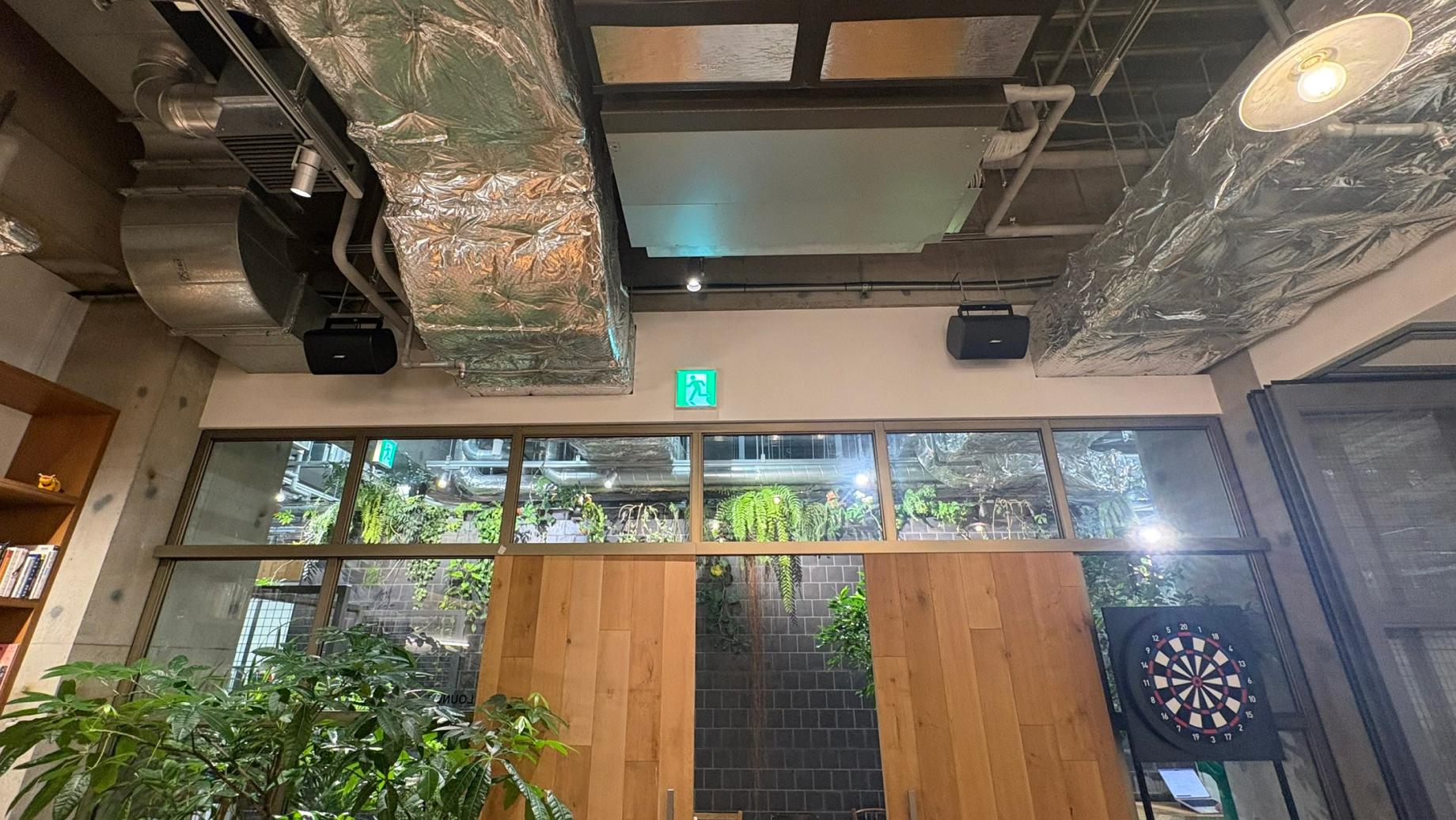
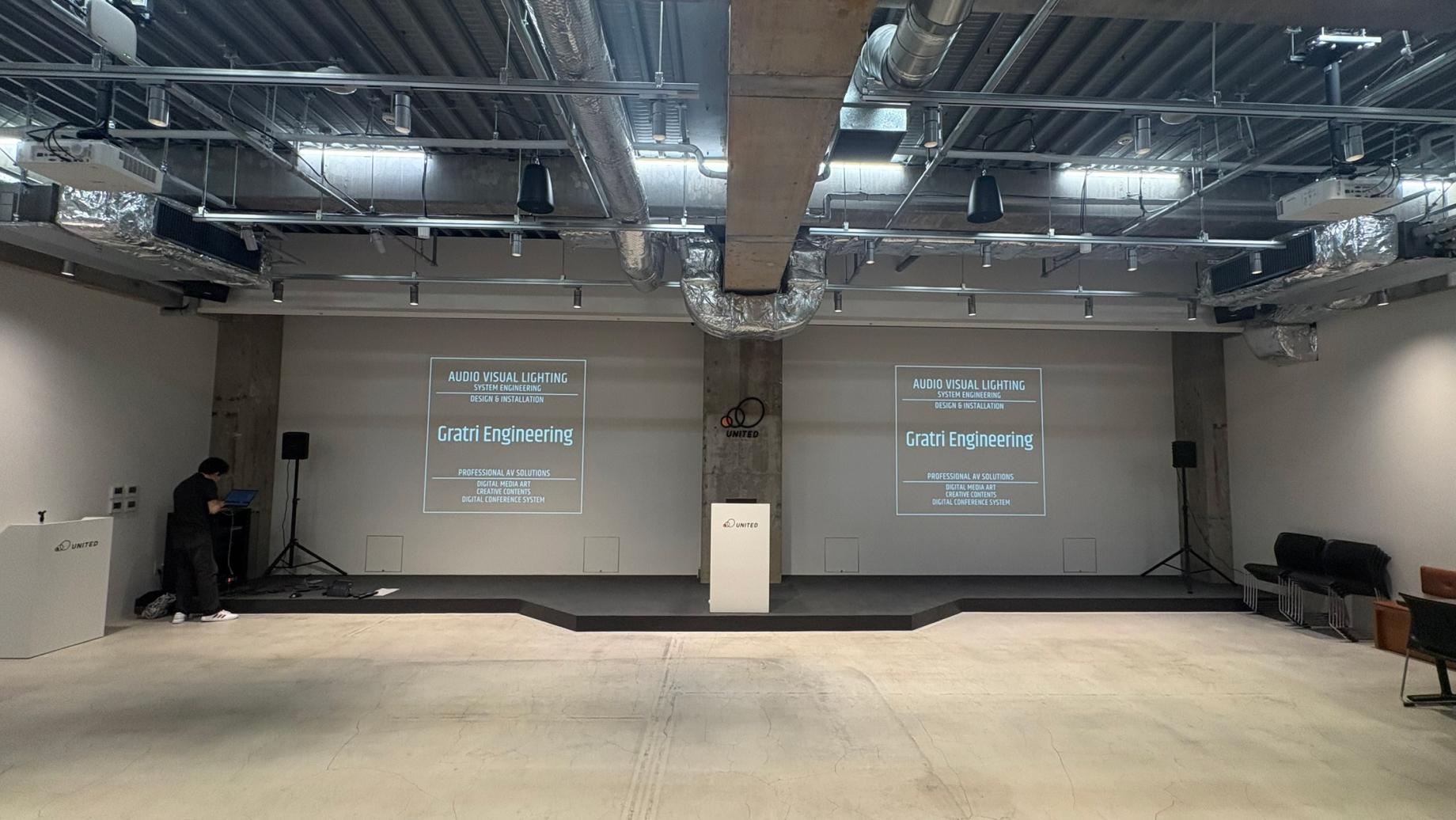
Renovation of the Audio and AV Systems in the HALL and LOUNGE Using Existing Video Equipment
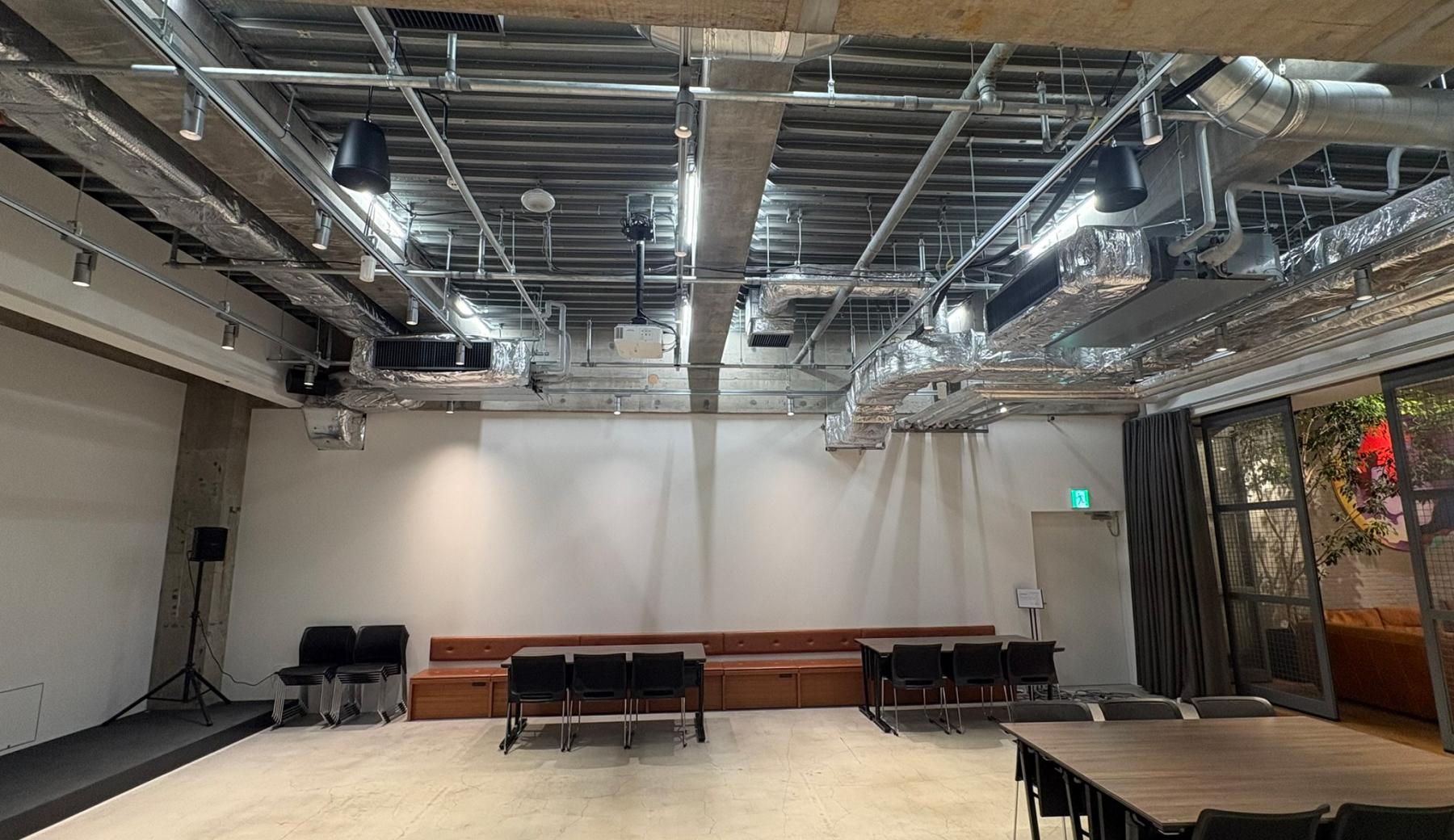
We carried out renovations to the AV system—with a focus on the audio equipment—in the HALL and LOUNGE areas of United Co., Ltd.’s office. In the existing setup, the volume of the microphones and speakers was too low; even when the volume was increased, it was difficult to hear clearly, and turning it up any further caused the sound to distort, making it challenging to deliver clear audio throughout the large space. Initially, the consultation focused on adding speakers and upgrading the wireless microphone system. However, through a series of meetings, we worked to clarify additional requirements related to actual usage, such as support for web conferencing and the centralized control of all AV equipment, including existing projectors and displays. Ultimately, we built an AV system that leverages the existing visual equipment while integrating microphones, speakers, audio processing, web conferencing audio, and video switching—all controllable from a single Crestron touch panel.
Issues We Want to Address
An acoustic environment where it is difficult to hear even when the volume is turned up
With the existing sound system, the volume was insufficient to reach the entire space, resulting in variations in audibility depending on the location. Simply turning up the volume caused the sound to distort or reduced clarity, making it difficult to hear what people were saying during meetings and company events attended by large groups. Therefore, it was necessary to overhaul the entire sound system—including not only the addition of speakers but also their placement, the output configuration, and audio processing.
Support for Multipurpose Use, Including Web Conferences
The HALL and LOUNGE are used for a variety of purposes, including meetings, presentations, and company events. As we proceeded with our system evaluation, we received requests to support web conferences using in-room wireless microphones and speakers, as well as hybrid-format events. Additionally, there was a need to be able to switch between handheld and lavalier microphones depending on the application, and to operate the system in a way that allows for individual adjustment of multiple microphones.
We want to make operations easier to understand while making use of our existing equipment.
The HALL is equipped with two projectors—one on the left and one on the right—and the LOUNGE has multiple displays. This required different operations for each piece of equipment, such as switching video sources, controlling power, selecting audio, and adjusting volume. The goal was to create an environment where even those unfamiliar with the equipment could easily perform the necessary operations from a single screen, while continuing to make full use of the available audiovisual equipment.
Details of the Implementation
Redesign of the Entire Audio System
We completely rebuilt the entire audio system, including microphones, audio processors, power amplifiers, and speakers. For audio processing, we selected the Bose “EX-1280C” audio processor, and for power amplification, the “PS404D.” In the HALL and LOUNGE, we installed exposed “DM6SE” speakers and pendant-style “DM5P” speakers, positioning them to provide coverage for each area. By properly distributing the audio across multiple speakers, we have created an environment where the audio is easy to hear even in large spaces, rather than having only certain speakers play at high volumes.
SHURE Wireless Microphones and Web Conferencing Compatibility
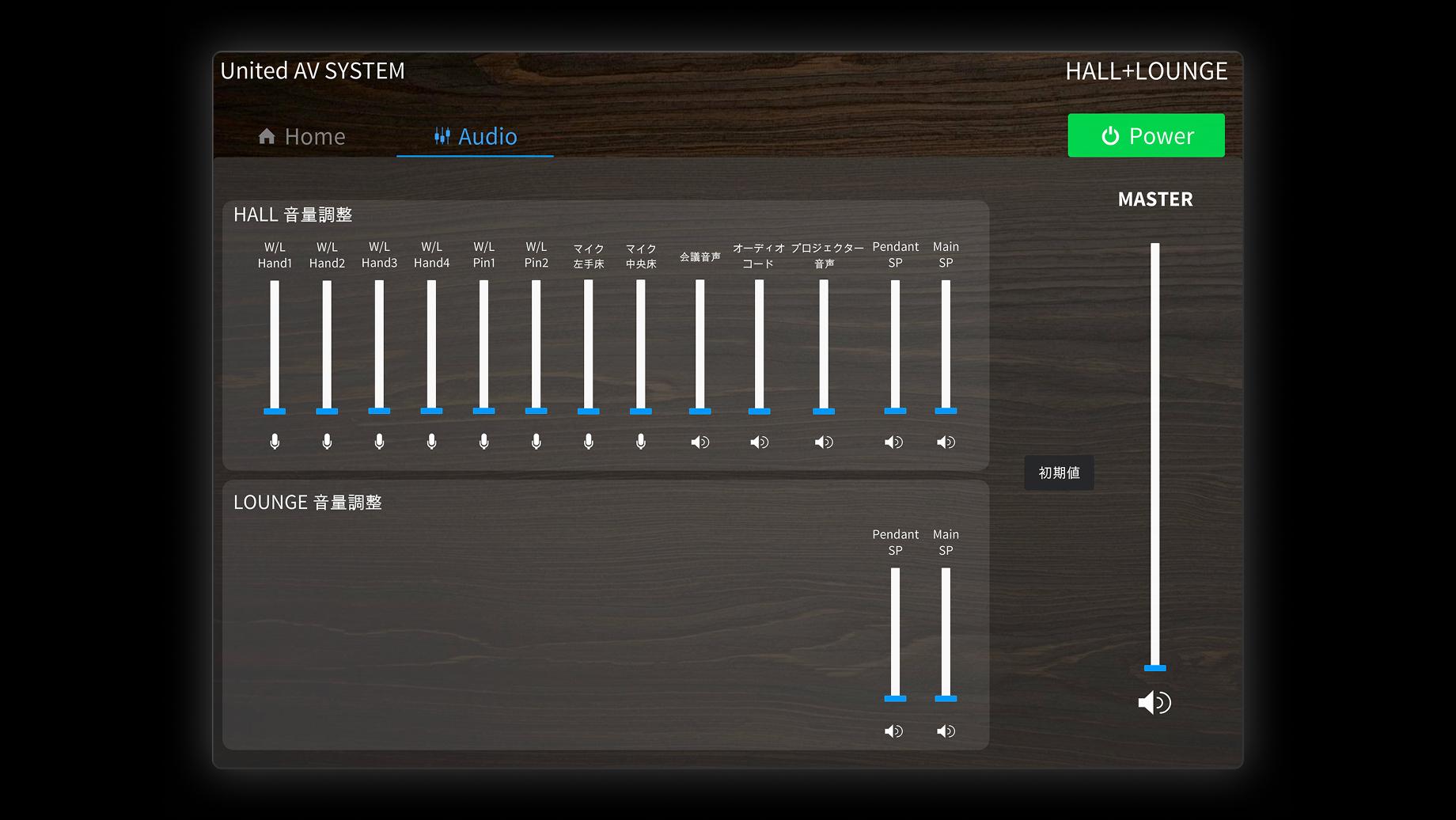
We have selected SHURE’s Microflex Wireless series for the wireless microphones. We have provided four handheld microphones and two lavalier microphones, creating a setup that allows users to select the appropriate microphone depending on the application, such as meetings, presentations, or emceeing. Each microphone has been assigned a unique name, and users can adjust the volume and mute each one via the Crestron touch panel. Additionally, by connecting users’ PCs to the AV system via USB, the system is configured to transmit audio spoken into the room’s wireless microphones to the other party in a web conference and play the other party’s audio through the speakers in the HALL and LOUNGE.
Utilizing Existing Audio-Visual Equipment and Wireless Screen Sharing
We continued to use the existing equipment, including the two projectors on the left and right sides of the HALL, the display in the LOUNGE, the video matrix switcher, and the HDMI extenders. By integrating this existing equipment with the new audio system and Crestron control system, we’ve made it possible to switch video sources and control device power via the touch panel. In the HALL, it is possible not only to display the same image on both the left and right projectors but also to display different images on each. Additionally, a Barco ClickShare C-10 was installed in the LOUNGE to enable wireless sharing of PC screens. The existing wired HDMI connections were retained, creating a configuration that allows users to choose between the two options depending on their needs.
Centralized Control of AV Equipment via Crestron
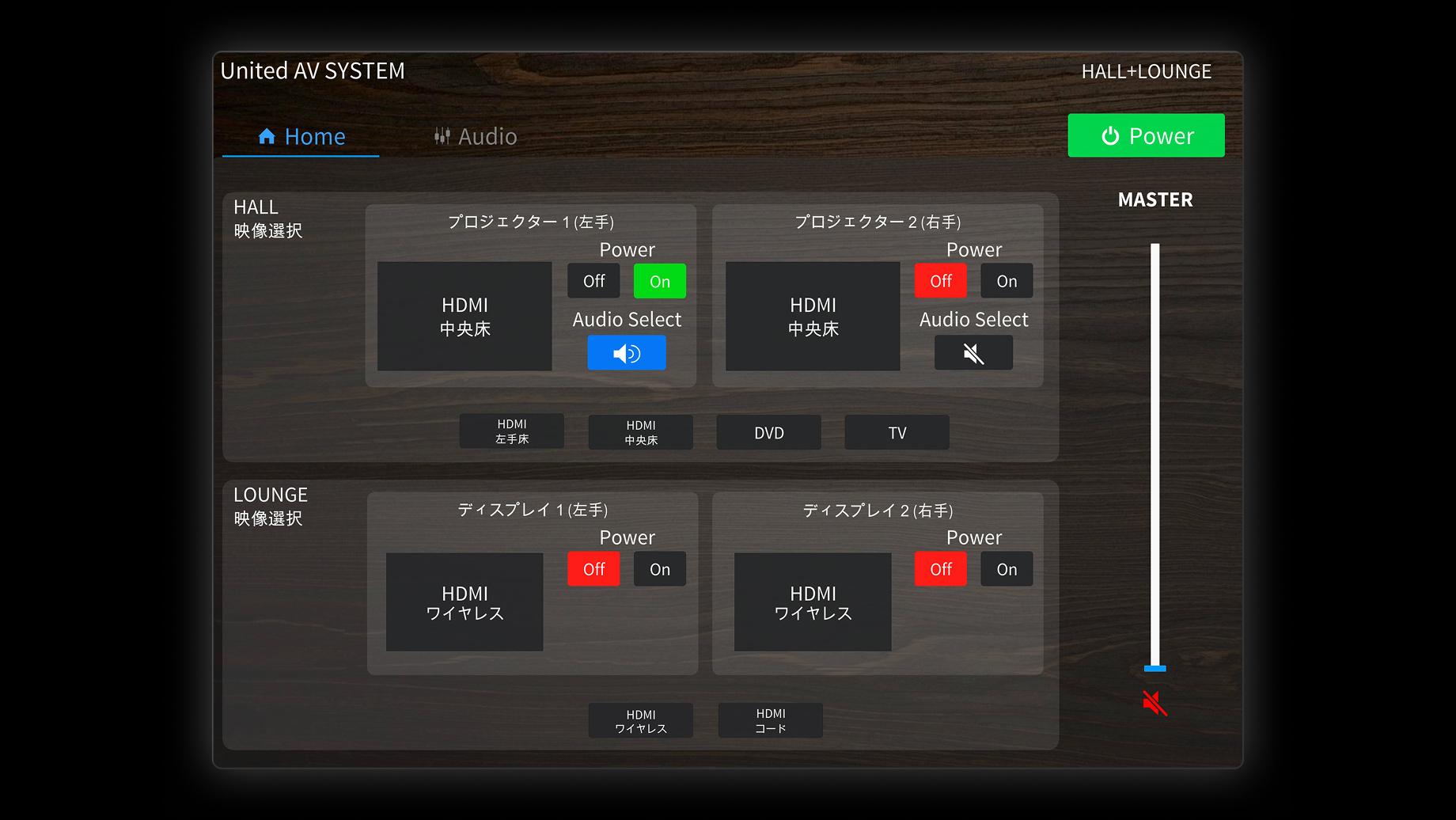
We adopted Crestron for the overall system control. Centered around the Crestron RMC4, we have set up two iPads—one in the HALL and one in the LOUNGE—to serve as touch panels, creating a dedicated interface that allows for centralized control of the video and audio equipment. When the system is started, ● HALL ● LOUNGE ● HALL + LOUNGE From these three modes, the user selects the desired operating mode. Depending on the selected mode, the available equipment and audio output range change, preventing accidental operation of spaces that are not in use. From the touch panels, you can control the power of projectors and displays, select video sources, adjust microphone and speaker volume, mute audio, and start or shut down the entire system. The two touch panels share the system status, so any changes made on one screen are reflected on the other.
Creating Operating Instructions and User Manuals
After completing the equipment installation, program configuration, and comprehensive functional testing, we conducted a training session on how to use the system. We also created a user manual summarizing how to operate the wireless microphones, web conferencing, ClickShare, wired HDMI, background music playback, and touch panel. The manual also includes restart procedures for cases where the touch panel app does not function properly, enabling customers to perform basic checks and troubleshooting on their own after installation.
After Implementation
Rather than simply replacing parts of the audio equipment, we redesigned the entire system—including speaker placement, audio processing, and the microphone system—to create an environment where audio is easy to hear in both the HALL and LOUNGE. Furthermore, while utilizing the existing video equipment, we added support for web conferencing and centralized control via Crestron. We have upgraded the AV system to accommodate a wide range of uses, including meetings, presentations, in-house events, and online conferences.
Major Equipment Installed
Wireless Microphone
SHURE Microflex Wireless
Handheld Microphone
SHURE MXW2X / SM58
Lavalier microphone
SHURE MXW1X/O, WL185
Audio Processor
Bose EX-1280C
Power Amplifier
Bose PS404D
Open-Baffle Speaker
Bose DM6SE
Pendant Speaker
Bose DM5P
Control Controller
Crestron RMC4
Control Terminal
Apple iPad, Crestron Go
Wireless Screen Sharing
Barco ClickShare C-10
Network Switch
NETGEAR
Scope of Work Handled by Us
- Site Surveys and Interviews:
- We reviewed the configuration of the existing equipment, the wiring routes, the acoustic environment, and how the equipment is used.
- System Design:
- We designed audio, video, web conferencing, and control systems that utilize existing audiovisual equipment.
- Equipment Selection and Procurement:
- We selected and procured equipment from manufacturers such as SHURE, Bose, Crestron, and Barco.
- Control Program and Screen Design:
- We developed a control program using Crestron and created a touchscreen interface for the iPad.
- Equipment Installation and Wiring Work:
- We installed and wired microphones, speakers, audio equipment, and control equipment.
- System Configuration and Comprehensive Test Adjustments:
- We performed audio adjustments, video switching, and web conferencing, and verified the operation of each usage mode.
- User Guides and Manuals:
- We created operating instructions for users and a user manual that includes photographs.
Related Works




CONTACT
Feel free to contact us
From small questions to full-scale projects, please feel free to contact us.
CONTACT